Categories
Each item needs to have one or more categories.
Categories are useful to club items together.
Create category
To create a category
- Go to Content -> Categories in the sidebar
- Click Add New Category
- Enter category name
- Click Save
Edit a category
To edit a category
- Go to Content -> Categories in the sidebar
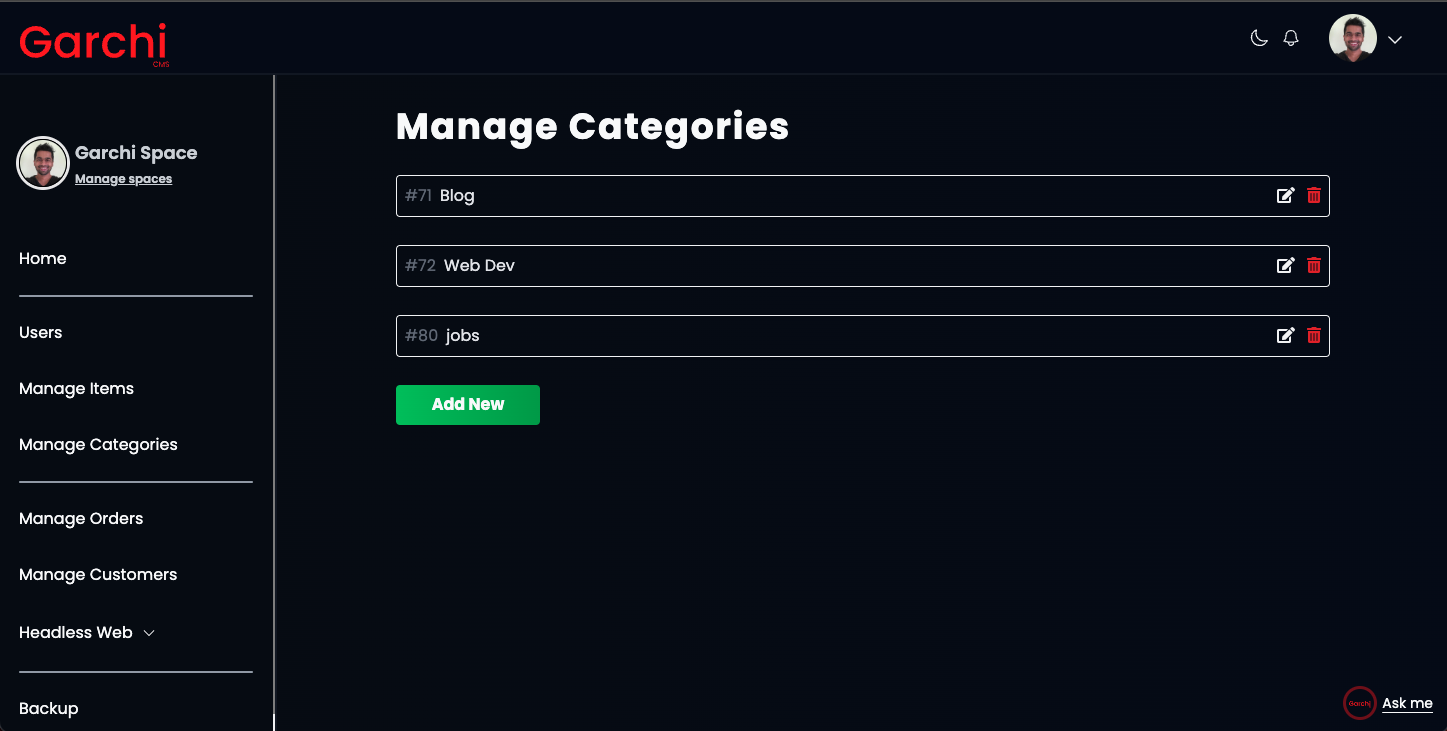
- Click on Edit or Pen icon infront of the respective Category
- Edit the name
- Click Save
Delete a category
To delete a category
- Go to Content -> Categories in the sidebar
- Click on Bin icon infront of the respective Category
Category id
Some APIs might want to you to provide category id. This could be found before the category page after #
For example jobs category in the image has id of 80.